Detailed real-time voice help
Start with Fluensy Live
Name Fluensy Live when you start
If you only ask to practice a language, ChatGPT may stay in regular voice chat without connecting to Fluensy Live.
“Let’s practice German with Fluensy Live.”
Swap in the language you’re learning.
Or, if you’ve customized your project, say this.
“Let’s practice German with Fluensy Live using the project instructions.”
In our experience, ChatGPT Live usually skips project instructions. We’re looking into it.
- Connect directly
- “Connect to Fluensy Live.”
Onboarding
Get set up by talking
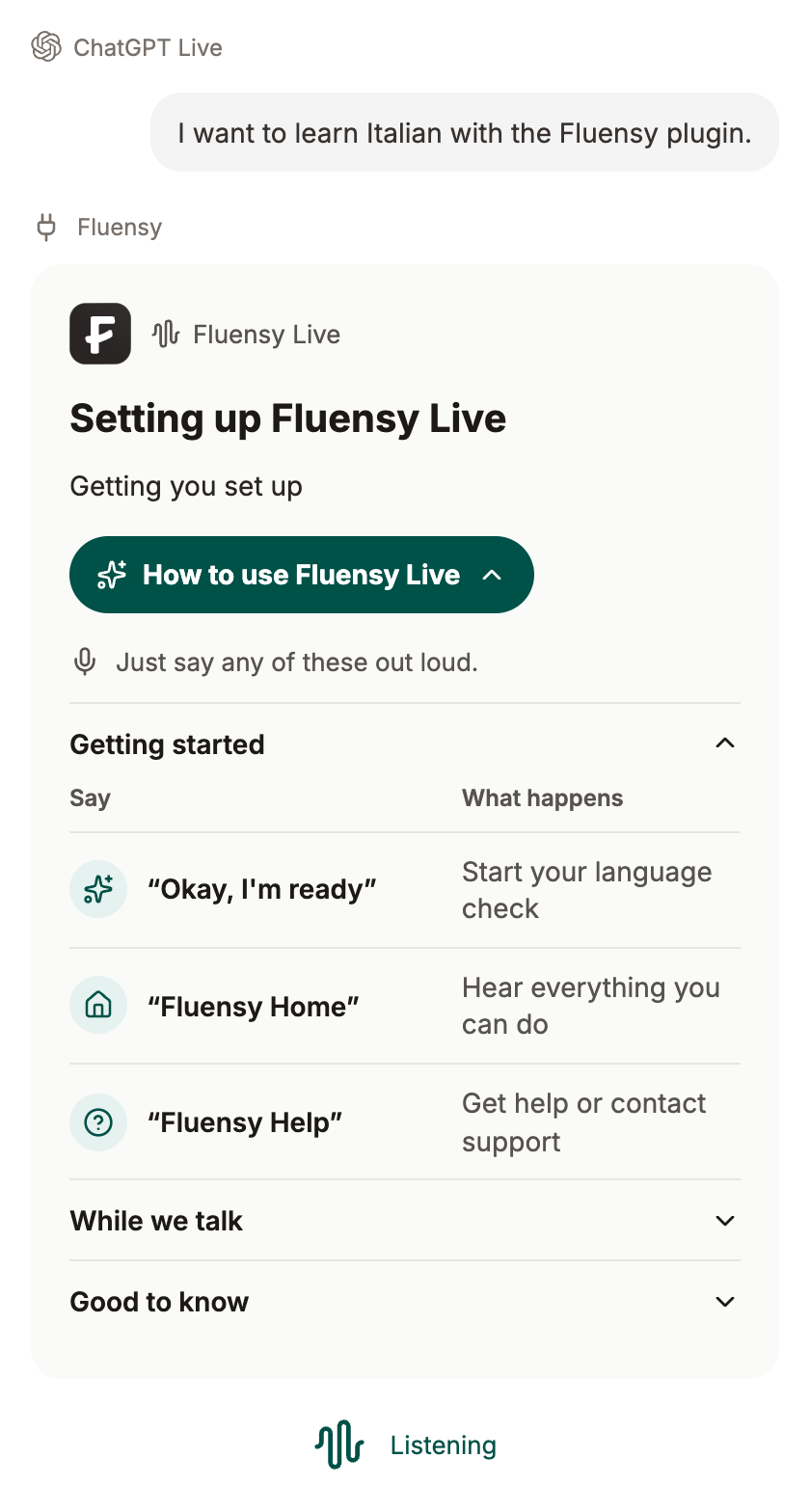
Tell Fluensy which language you want to learn and follow the spoken level check. Shown in ChatGPT.
Practice
- “Let's practice”
- Run drills on words that are due
- “How do you say …?”
- Hear any word or phrase
- “Save … to my deck”
- Add a word or phrase to practice later
- “I want to learn another language”
- Set up a new target language
- “Retake my level check”
- Redo your assessment and plan
Do a roleplay
- “Let's do a roleplay”
- Play out a spoken scene
- “Can you help me how to use this?”
- Get a quick walkthrough
- “Pause, what does that mean?”
- Step out and ask
- “How do I say …?”
- Get help mid-scene
- “Let's try another scene”
- Switch the situation
While we talk
Say any of these during a conversation.
- “Stop, I have a question”
- Interrupt any time — you don't have to wait
- “Slower, please / Say that again”
- Hear it again, more slowly
- “I don't know that word”
- Use your own language and keep going
- “Are you still there?”
- Nudge Fluensy Live if it goes quiet
Choosing a model
Your default model works. For the best Fluensy Live experience in ChatGPT, choose 5.6 Sol with High or Extra High.